Forest for the trees
2026-06-13 — 2026-06-20Hierarchical Data Structures
Computer programmers love collections, never more so than when those collections can contain other collections. If your collections can contain other collections, you can build them up into a hierarchical tree structure, and everyone loves those.
Collections
Some collections have keys, others have ordering, some have both, for example in Python1:
| No Key | Key | |
|---|---|---|
| No Order | set / Counter2 |
dict3 |
| Order | list / tuple |
OrderedDict / namedtuple |
… and while there’s some other complexity there4 we can use this to build arbitrary complex structures.
Most languages have broadly similar concepts … what they lack in formalism and efficiency they makes up for in flexibility and universality.
So we end up with JSON and XML and ASN-1 and TOML and so on, all strucured data formats which serialze this kind of data so you can put it in a file.
File System
There’s another hierarchical data structure on (most) computers, which is the file system. Directories can contain files, and also other directories. Directories are really just another kind of collection:
- We normally thing of files as “having a name” but actually the name is just a key in the directory which contains the file.
- We don’t think of files in a directory as having an ordering other than what we apply when we make a list of files: by name, by date, by size, etc.
- Depending on the filesystem, things like symbolic and hard links can make the filesystem less of a tree and more of a ball of hair, but let’s ignore that for now.
And files are also (mostly) collections! Some but not all files are “text files” which are kind of an ordered collection of “lines”, if you choose to treat them that way. Other files contain hierarchical trees of data as above, or collections of binary symbols in a library, etc. Even things like image files or archives aren’t just arbitrary blobs of data: they contain headers, blocks, chunks, metadata, etc.
Discontinuity
The problem is there’s a discontinuity between the hierarchy of files and the hierarchy inside each file.
Problems which crop up when structures cross the discontinuity:
- To edit and save a really big JSON file you have to deserialize and reserialize the whole thing, there’s no way to edit it “on disc”.
- Programs (and documents) are often split into many files to make file sizes more manageable (LaTeX documents with one file per chapter, Java programs with one file per class.
- Other times, data is split into many files for administrative reasons,
like the whole
conf.dmess that Linux gets into. - HTML documents: what’s in the path, what’s in the fragment? For that matter, what’s in the host?
Eliminating the Discontinuity
In the previous article Boot Naked Linux I
talk about building a system which has exactly one init program and
a heavily cut down kernel without even filesystem support.
If we don’t have any filesystem how are we meant to save state?
Well, we still have a disk partition. This appears as a “block device”,
called something like /dev/sda, which we can read and write as if it was
one giant file.
mmap
We could read and write data by lseeking the block device and writeing
serialized data, but thanks to the wonders of the 64 bit OS,
we can instead mmap the whole disk partition into our process’s address space.
Now instead of one big file our disk looks like one big array:
/* open the device file */
int fd = open("/dev/sda", O_RDWR);

/* determine it's size */
size_t file_size;
ioctl(fd, BLKGETSIZE64, &file_size);

/* mmap the whole thing into memory */
uint8_t *one_big_array = mmap(NULL, file_size,
    PROT_READ|PROT_WRITE, MAP_SHARED, fd, 0);
… (this is C, add your own error handling) and as we read and write to that array the kernel will take care of paging data in and out of physical memory.
But manually copying our state in and out of the One Big Array would still be annoying. How about we just create our state right in there?
References vs. Pointers
There’s one fly in our ointment, which is that
mmap picks an arbitrary position for our memory-mapped storage to
appear.
We can ask for a specific location, but because of the way Linux process
memory maps work5, we’re not always going to get it.
This is annoying because we’d like one piece of data to point to another, C programmers love pointers, but we can’t store pointers as the next time we run our program the mmaped memory could be somewhere else, rendering our pointers invalid.
Instead we’ll have to store references which are offsets relative to
the start of the mmaped file.
Unlike pointers, if our mmap file ends up in a different location,
our references will still work.
To follow references, we still have to translate them into pointers, and to store pointers we have to translate them back:
static inline ref_t ptr_to_ref(void *ptr) {
    if (!ptr) return 0;
    return (ptr-MMAP) / REF_ALIGN;
}

static inline void *ref_to_ptr(ref_t ref) {
    if (!ref) return NULL;
    return (ref * REF_ALIGN) + MMAP;
}
It’s an indirection compared to following pointers, and a little slower. We do get one advantage from this though: we’ll never really need to address 16 PB of data, so our 64 bit pointers are bigger than we need. So we can use a smaller datatype for our references. A 32 bit reference can only address 4GB, but if we choose to align all our references on an 8 byte boundary we can make that 32GB. There’s a trade-off to be made between the bytes lost at the end of every allocation and the size of every reference in every object.
Allocators
Normally in C code we’d use malloc to allocate memory on the heap.
We ask for some space, it marks a little bit of the heap as used and
lets us know where that is.
When we’re done with it we use free to let the allocator know it
can reuse that memory for something else.
But if we want to allocate memory inside our new persistent space, we’ll need a new allocator. There’s quite a few of these already which we can learn from:
… but we have the added indirection of our references so we’ll have to make some changes. Our simplest possible allocator looks something like:
#define FREE_REF (3)

ref_t allocate(size_t size) {
    size_t alloc_size = (size+REF_ALIGN-1)/REF_ALIGN;
    ref_t ref = *(ref_t *)REF_TO_PTR(FREE_REF);
    *(ref_t *)REF_TO_PTR(FREE_REF) += alloc_size;
    bzero(ref_to_ptr(ref), alloc_size*REF_ALIGN);
    return ref;
}
… FREE_REF is the location of a reference to just past the last
piece of allocated memory. We round up our allocated size
to the next multiple of REF_ALIGN and move our FREE_REF location
along by that much.
Here’s a toy
I made a little toy using these bits and pieces which just uses a binary tree to count words and accumulate those counts over multiple boots.
Other stuff that a real filesystem does that we don’t
So there’s a lot of things this toy doesn’t have. If we were taking this seriously we’d need a deallocator and a free list and probably reference counting and stuff, and also there’s:
- Flushing to disk
- Permissions
- Locking
- Portability
… but there’ll be time to discuss that in the next installment …
UPDATE
For reasons I that will turn into a link later, I happened to look up the specs for the Siemens System 4004 and it features an innovative virtual memory system:
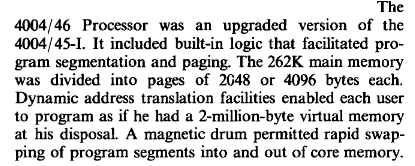 The 4004/46 Processor was an upgraded version of the 4004/45-I.
It included built-in logic that facilitated program segmentation and paging.
The 262K main memory was divided into pages of 2048 or 4096 bytes each.
Dynamic address translation facilities enabled each user to program
as if he had a 2-million-byte virtual memory at his disposal.
A magnetic drum permitted rapid swapping of program segments into and out
of core memory.
The 4004/46 Processor was an upgraded version of the 4004/45-I.
It included built-in logic that facilitated program segmentation and paging.
The 262K main memory was divided into pages of 2048 or 4096 bytes each.
Dynamic address translation facilities enabled each user to program
as if he had a 2-million-byte virtual memory at his disposal.
A magnetic drum permitted rapid swapping of program segments into and out
of core memory.
… everything old is new again!
-
Most languages have something similar. ↩
-
sets don’t allow duplicates,Counters do. ↩ -
Since Python 3.7 dict entries are also ordered by insertion. ↩
-
You can’t put
lists in asetbecauselists are mutable. On the other hand, since a list is mutable, you can add it to itself.a = []; a.append(a)Data structures are fun! ↩ -
We could possibly choose to compile a custom kernel without Address Space Layout Randomization, but let’s not go there just yet. ↩